Enrich Company Names With LinkedIn URLs in google sheets
This video demonstrates how to enrich company names with their corresponding LinkedIn URLs using a data enrichment extension. You'll see how to input company names and automatically generate LinkedIn URLs for each entry in your dataset.
1. Extension Setup For LinkedIn Url
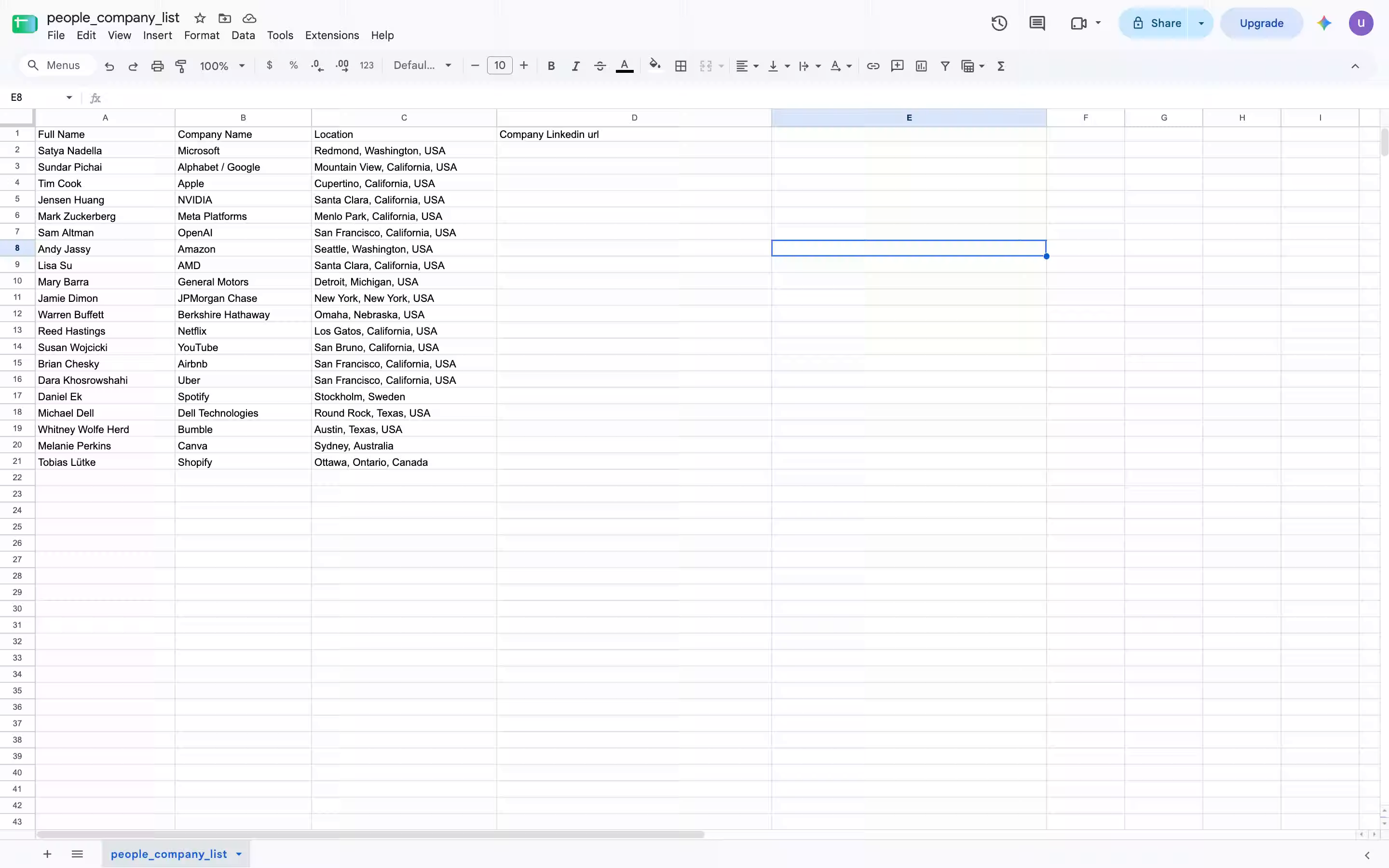
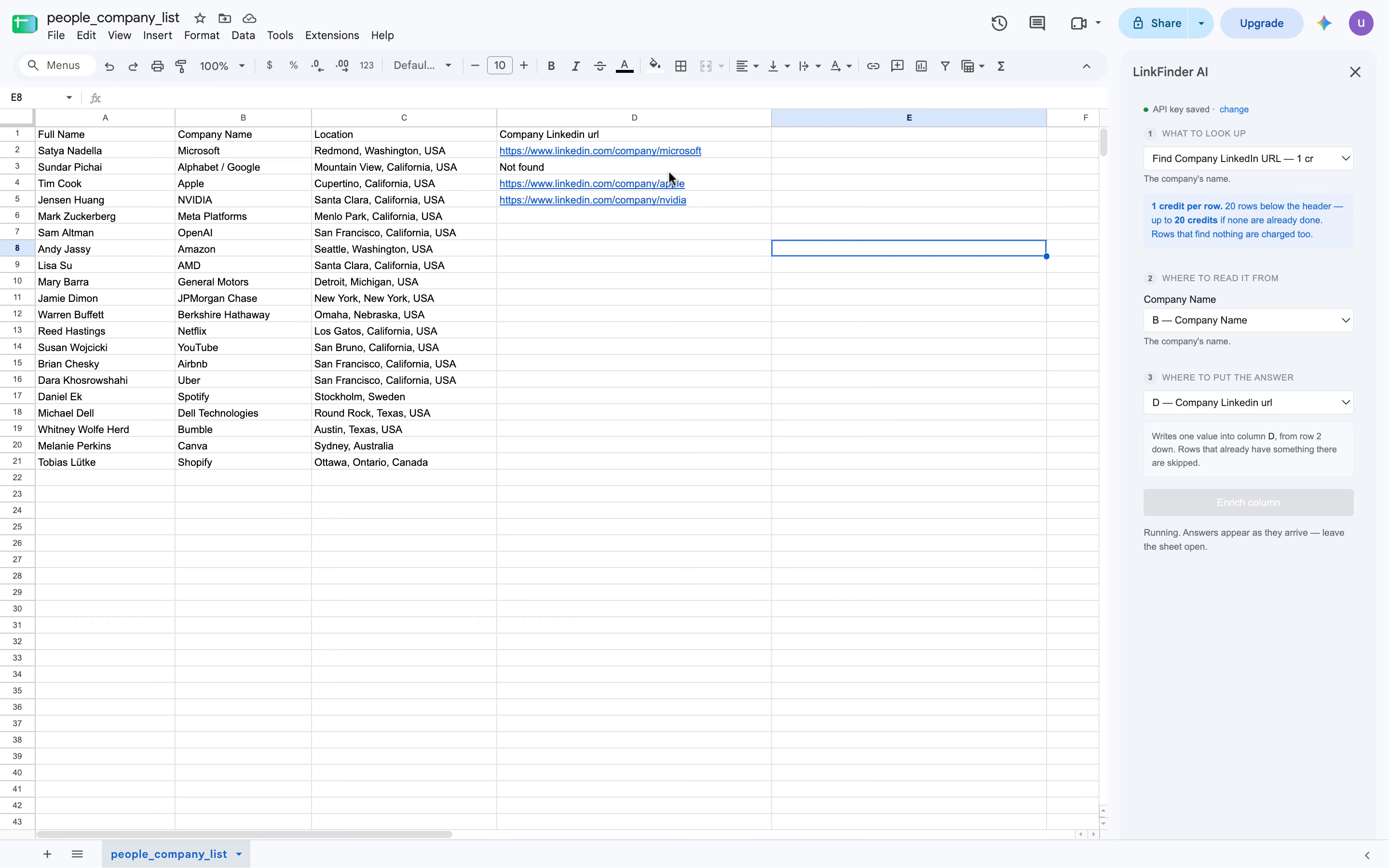
Can find company engine URL from company names. We open the extension. In the extension, we select find company LinkedIn URL. Here, you need to enter the value for the company name, the value of the column. So here, we select B. Then, you select the value where you'd like the result to be displayed. So here, we select the V column and click enrich data. Every single company name is going to be enriched into their corresponding LinkedIn URL.
2. Example Company Url Results
So you got Microsoft company LinkedIn URL, you got Apple, Nvidia, Meta, OpenAI, and so on. So here we can see every
3. Result Explanation Pause
Result when where.
4. Final LinkedIn Url Enrichment
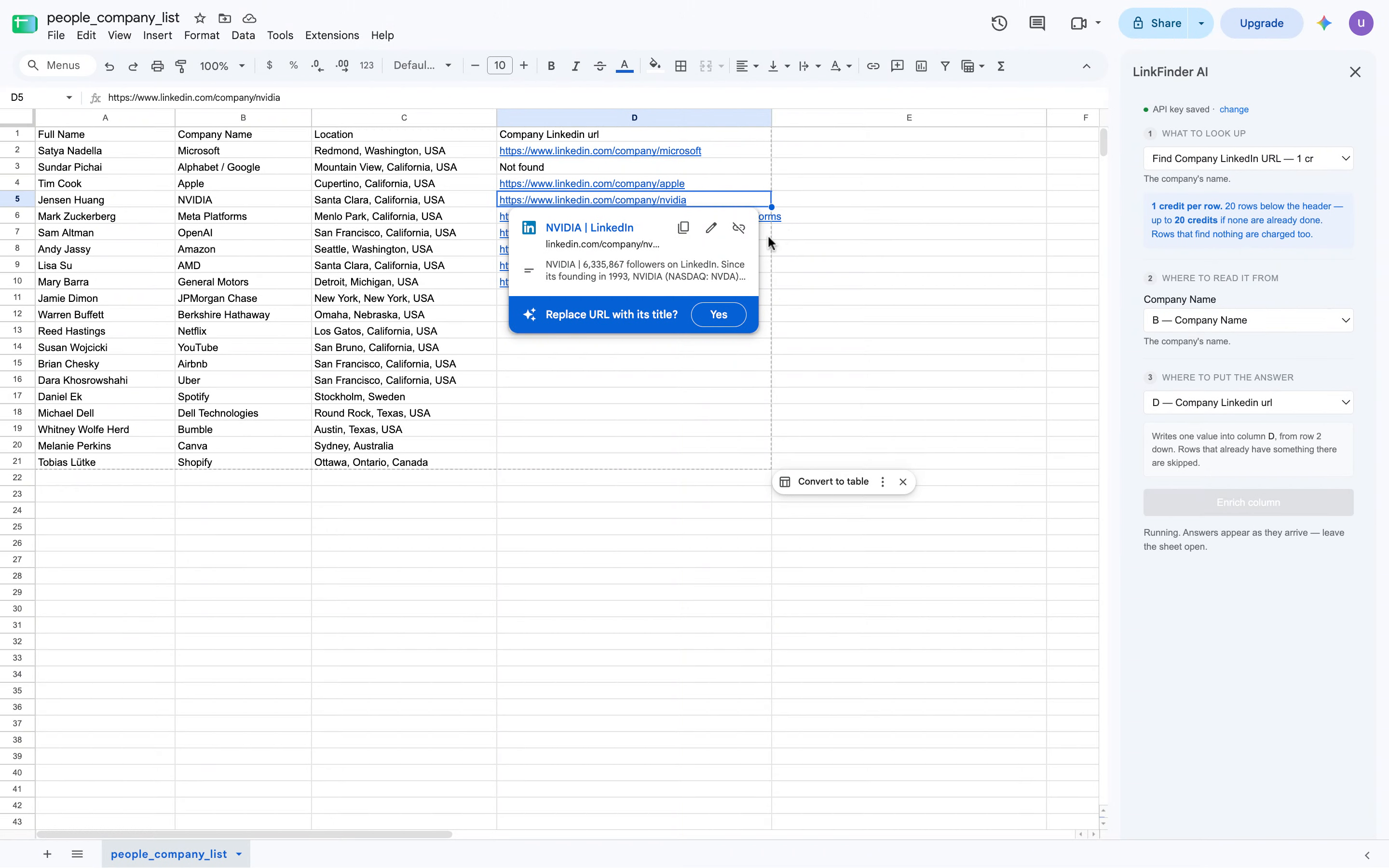
Each company is getting their LinkedIn URL and reach from the company name. Each row from the column is getting enriched with the company LinkedIn URL. Here we have the complete result with all the LinkedIn URLs.
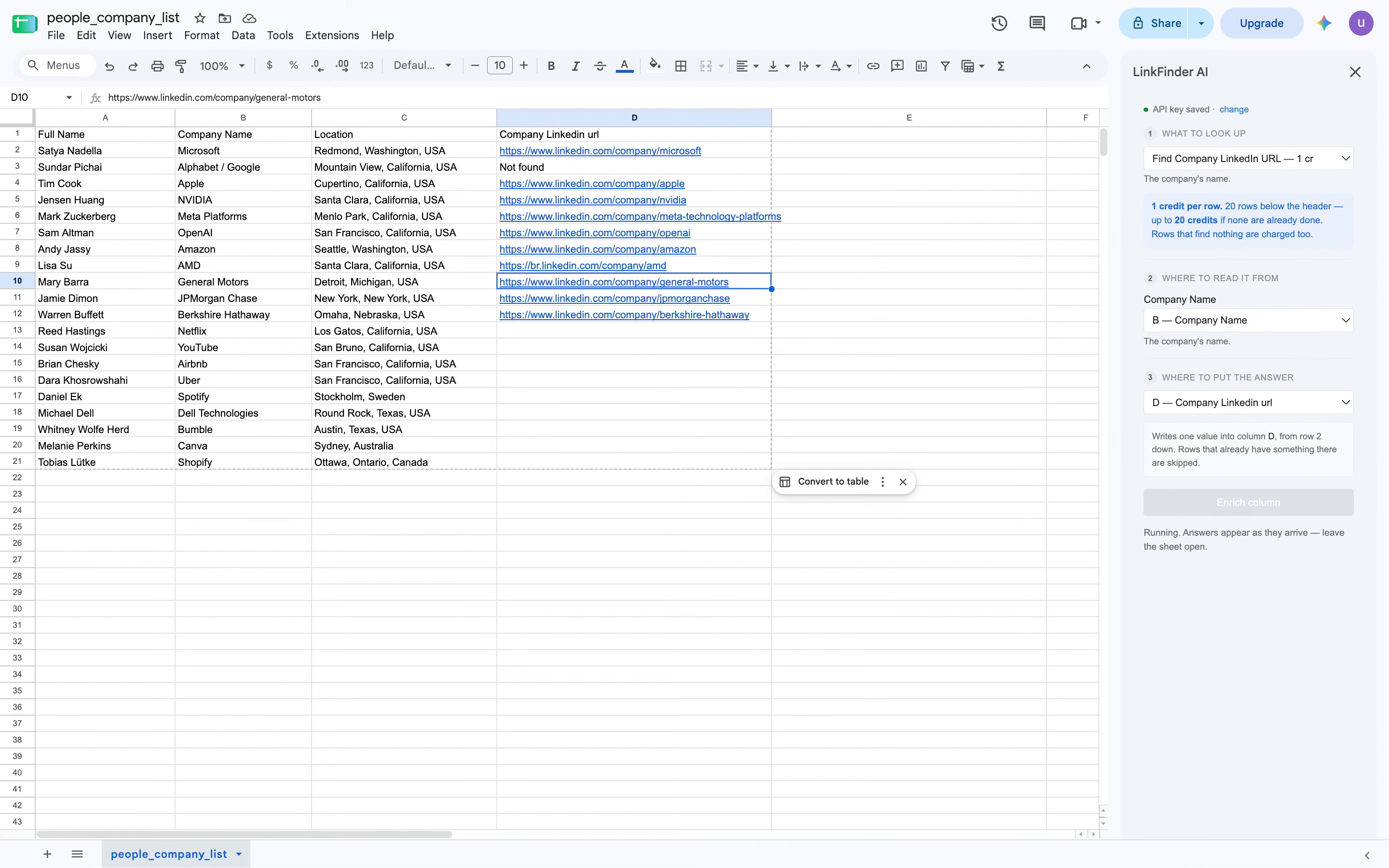
The video shows how to use an extension to convert company names into LinkedIn URLs, enriching each row with accurate LinkedIn profile links efficiently.
Get started