Enrich Company Websites Using Google Sheets
This video demonstrates how to enrich company names with their corresponding websites using a Google Sheets extension. You'll learn how to configure columns to automatically populate website data for each company listed.
1. Setup For Website Enrichment
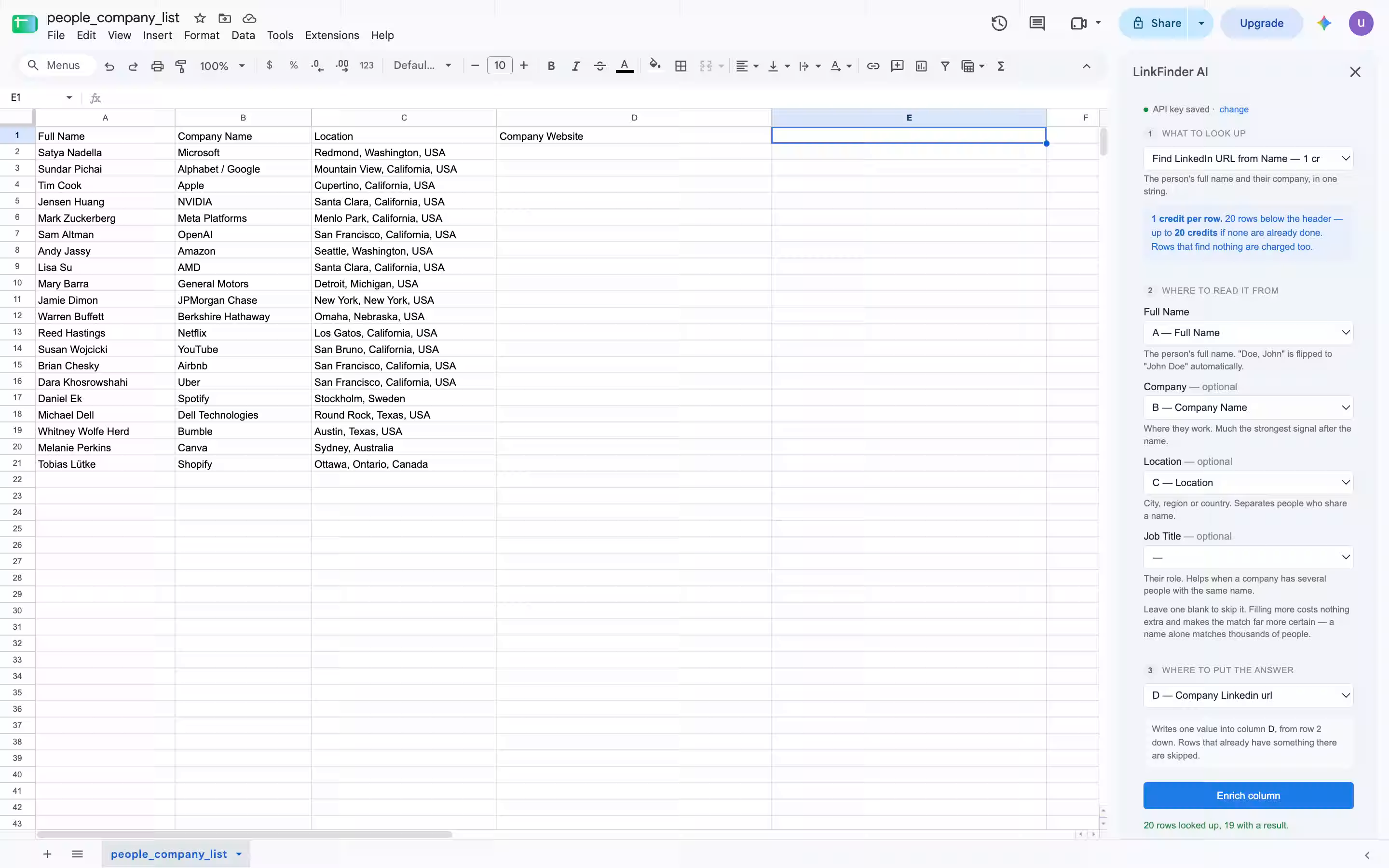
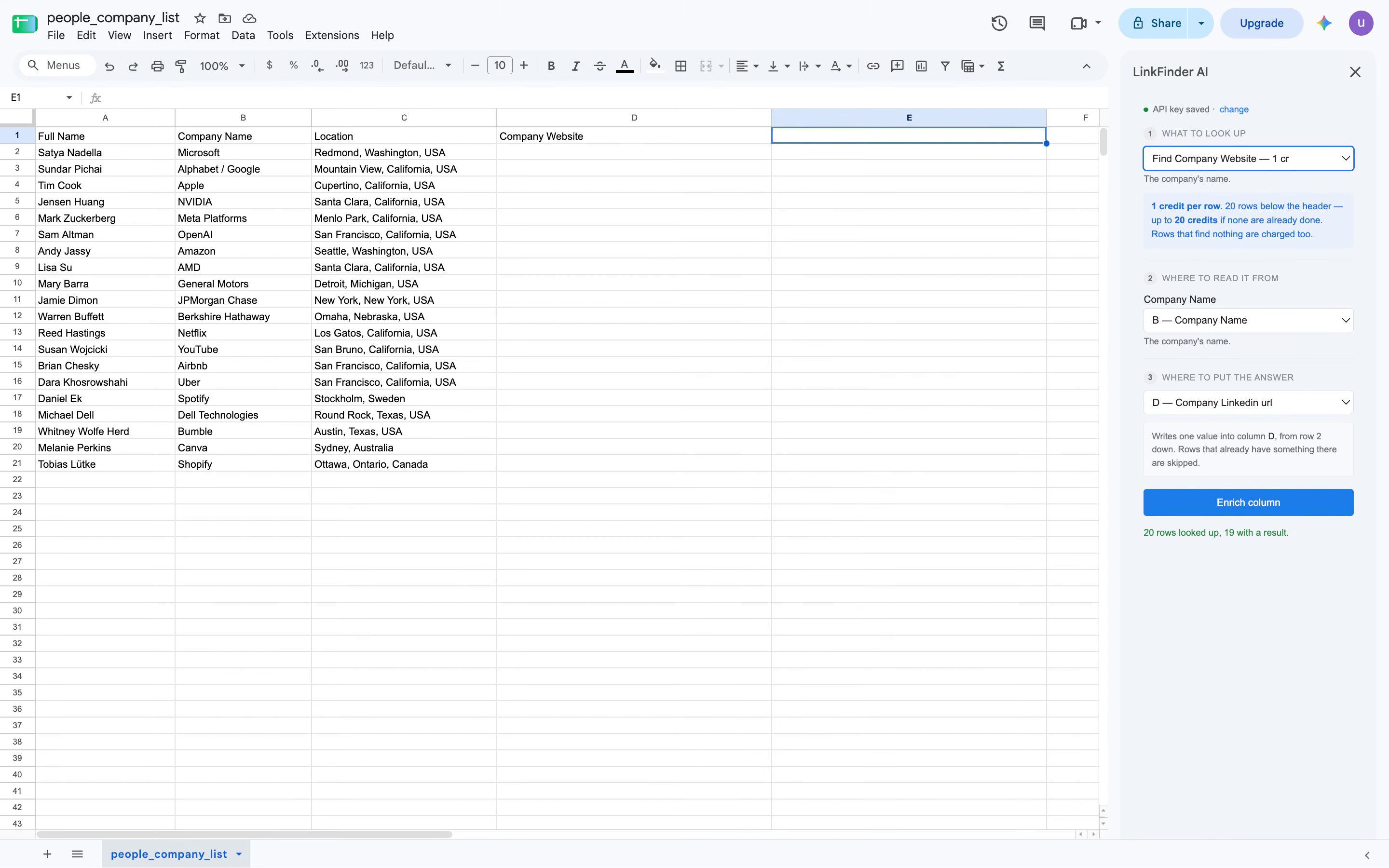
You can find the company website from company names in the Google Sheet. Here, we select the enrichment to find the company website. First, we need to give the extension the company name column.
2. Configuring Columns For Enrichment
So here, the company name column is column B. Then we give it the column where we'd like the result to be displayed. Here, it is column D. We click on Enrich Column. All the company names from column B will be enriched into their company websites, and the results will be added in column D.
3. Closing Remarks
Thank you.
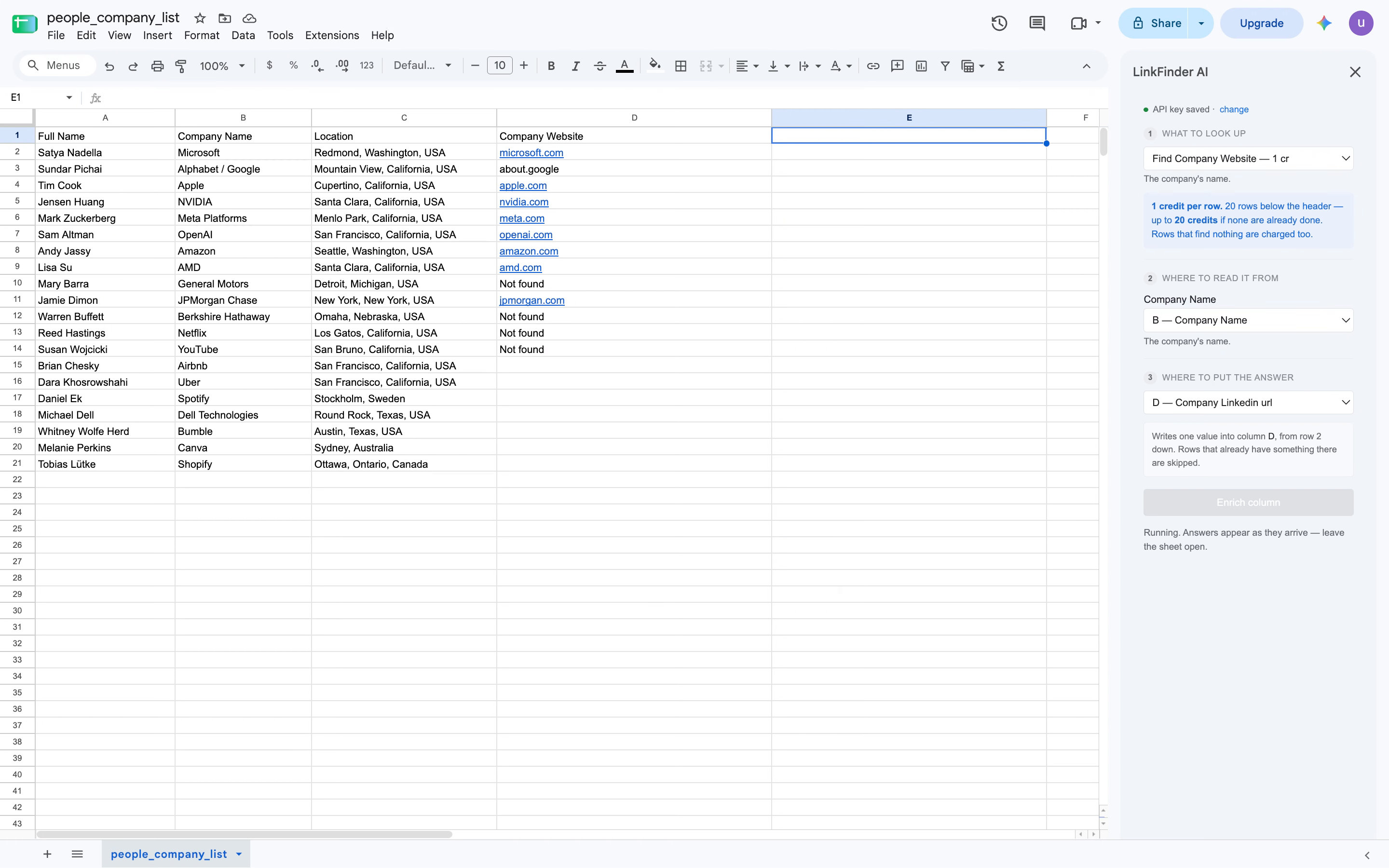
The video shows how to set up and configure a Google Sheets extension to enrich company names with their websites, displaying results in a specified column.
Get started