Login Try for free
Free Guide

How to Find a Lead's Email From Their LinkedIn URL

You've already found the right person on LinkedIn — now you need a way to actually reach them. Here's how to turn a LinkedIn profile URL into a verified email address, one lead at a time or across a whole list.

No LinkedIn login required Works from a profile URL Free to start

Demo: finding a verified email from a LinkedIn profile URL with LinkFinder AI · Powered by guidde

LinkedIn tells you exactly who you want to reach, but it doesn't hand you a way to email them directly. The usual workarounds — a browser extension that guesses at a pattern, or manually checking a company's email format — are slow and often wrong.

LinkFinder AI takes a LinkedIn profile URL directly as input and returns a verified email address as output. This guide covers a single lookup, a bulk CSV run for a list of leads, and the API for automating it.

1

Find one lead's email from their LinkedIn URL

The quickest path when you're reaching out to one person.

1

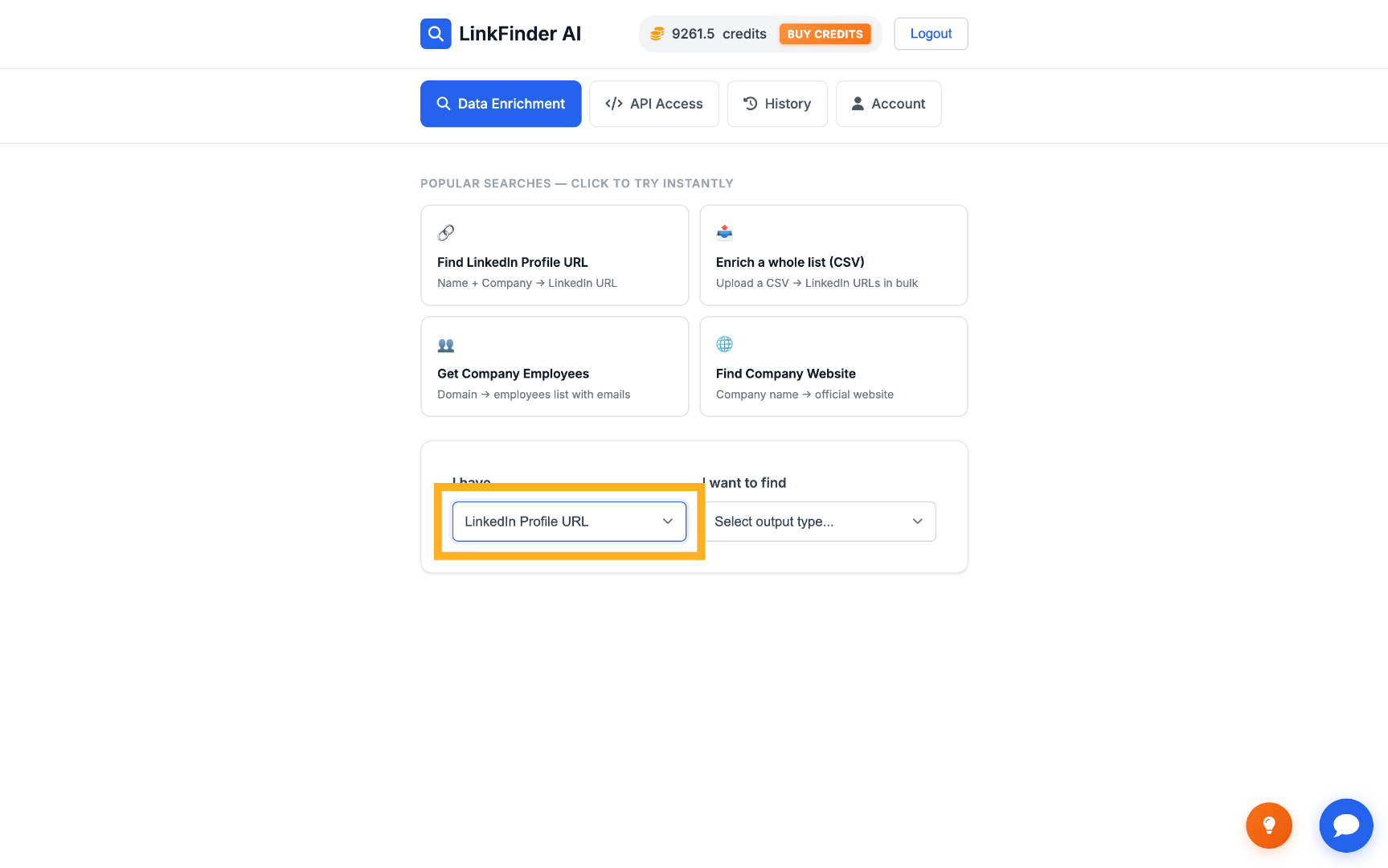
Set the input to LinkedIn Profile URL

On your dashboard, choose LinkedIn Profile URL as the input data type.
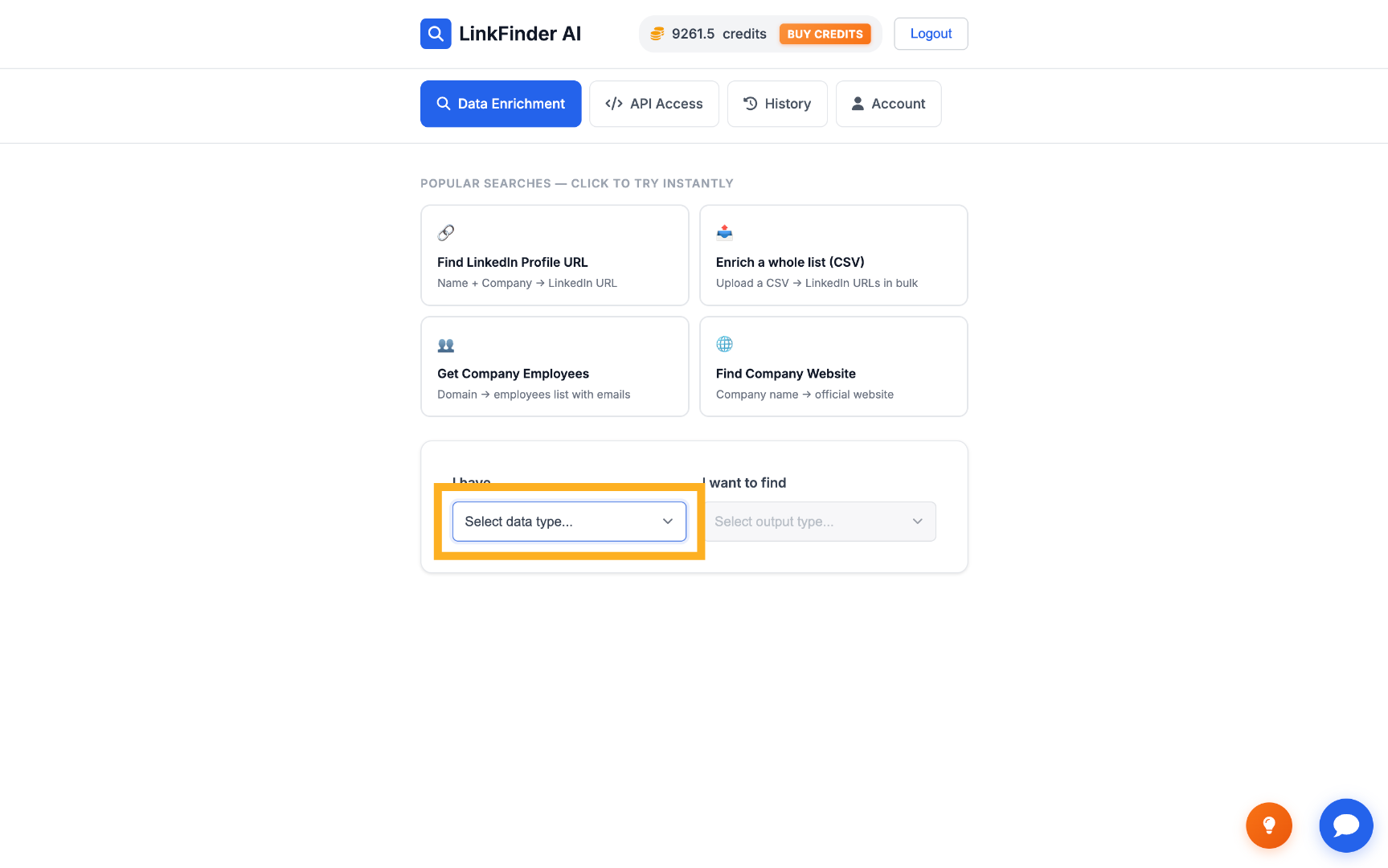
Select Input Data Type Choose LinkedIn Profile URL Input
2

Set the output to Email Address

Select Email Address as the output type to get a verified email back instead of other profile data.
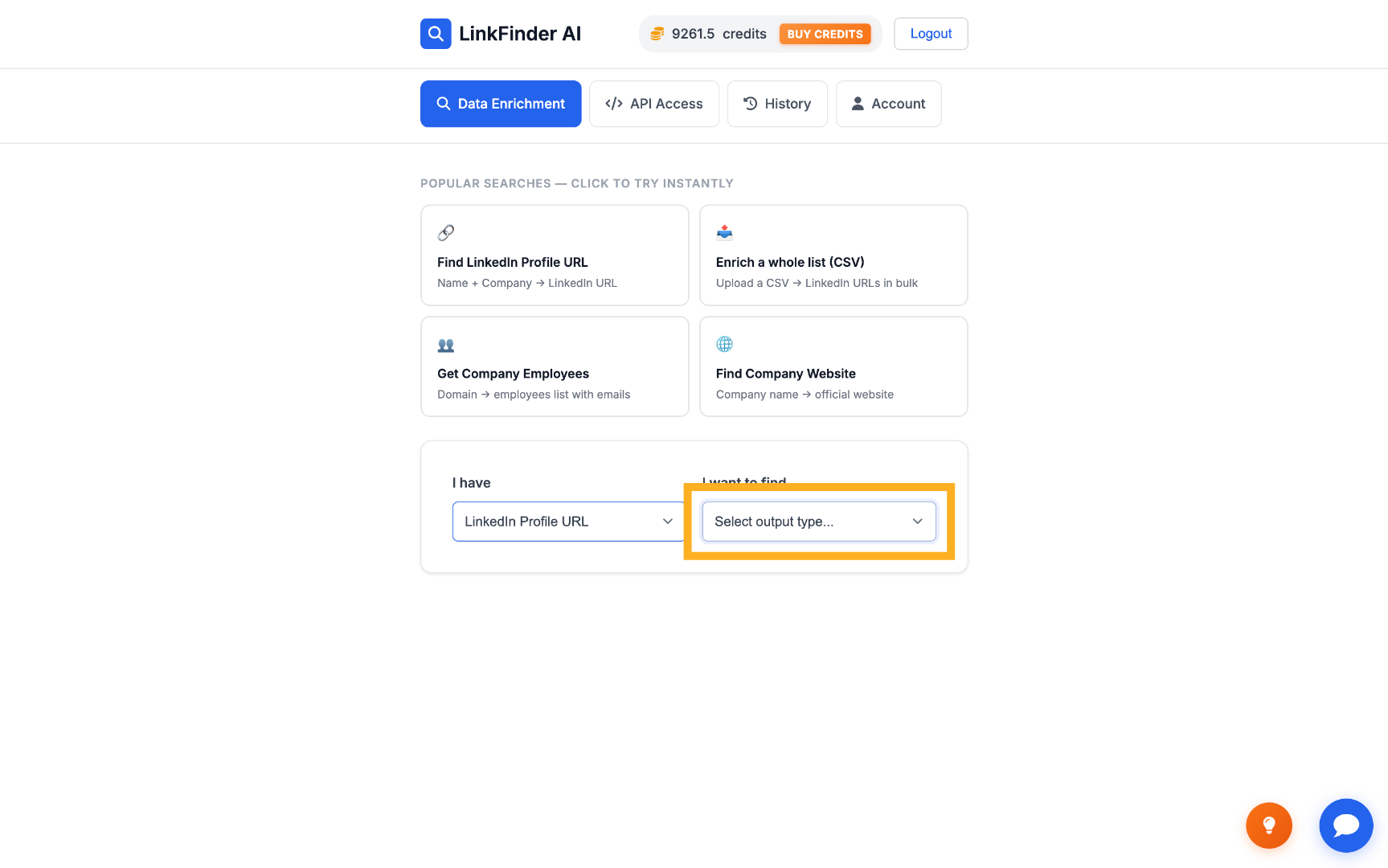
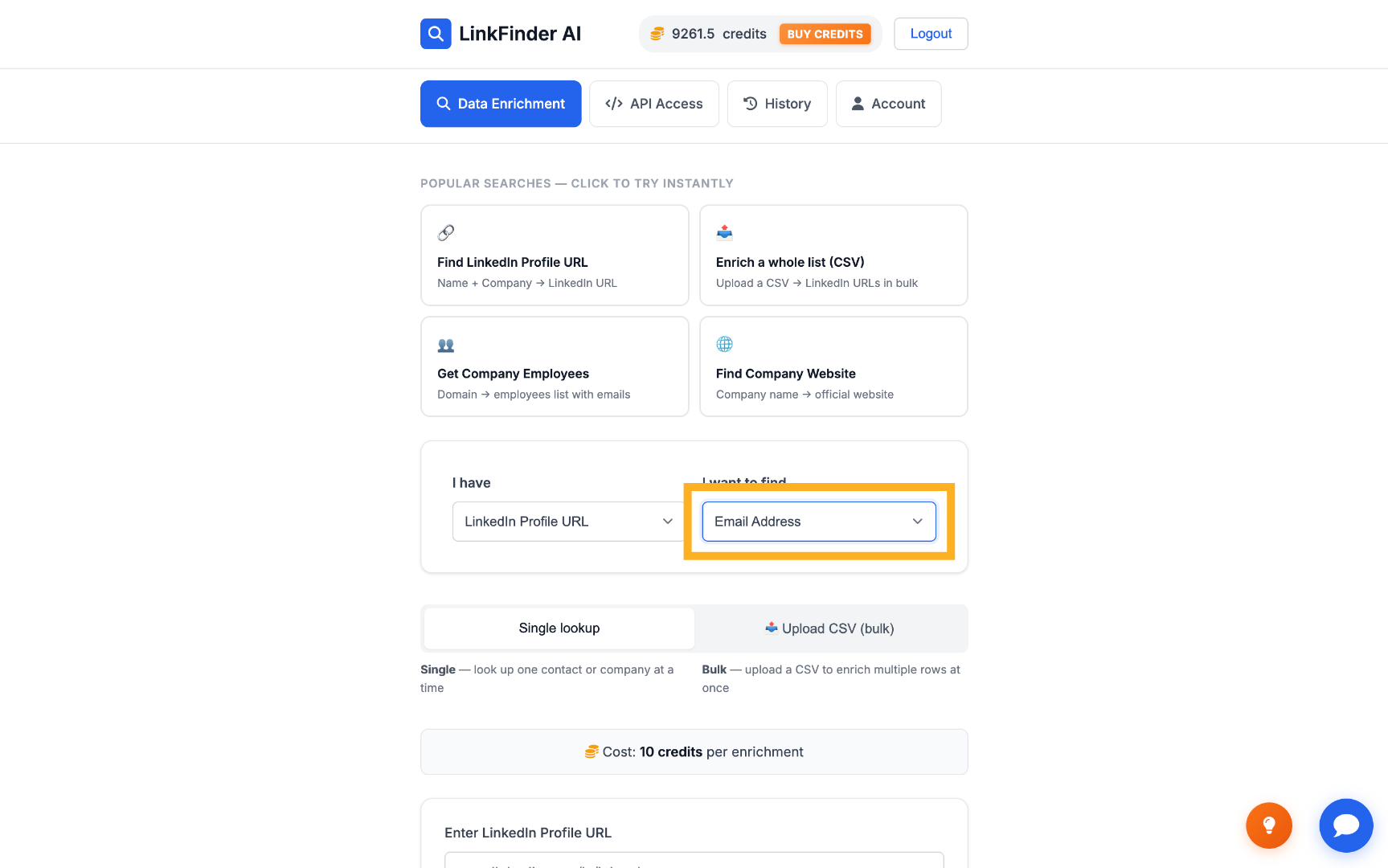
Select Output Data Type Choose Email Address Output
3

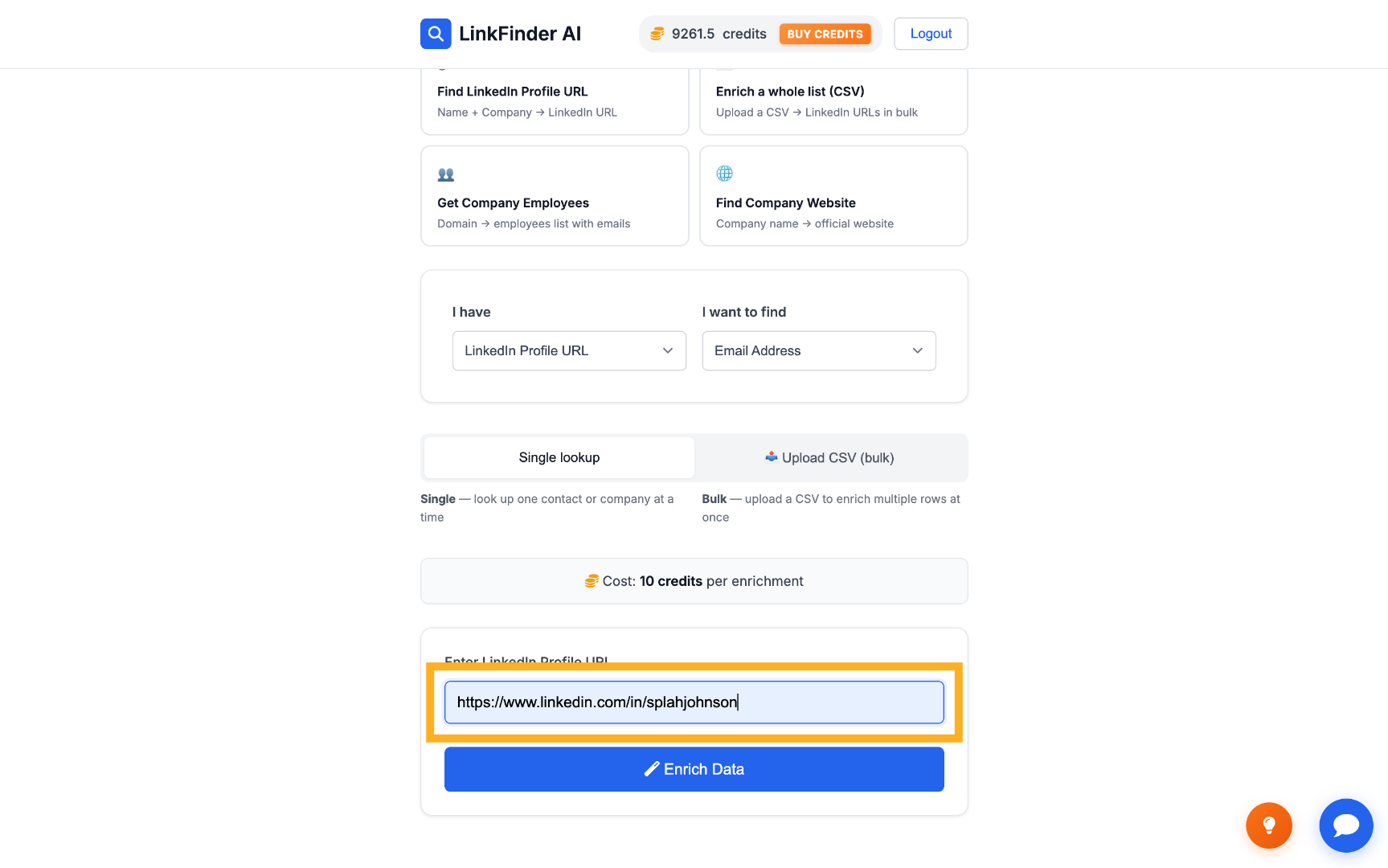
Paste in the lead's LinkedIn URL

Enter the lead's LinkedIn profile URL into the input field.
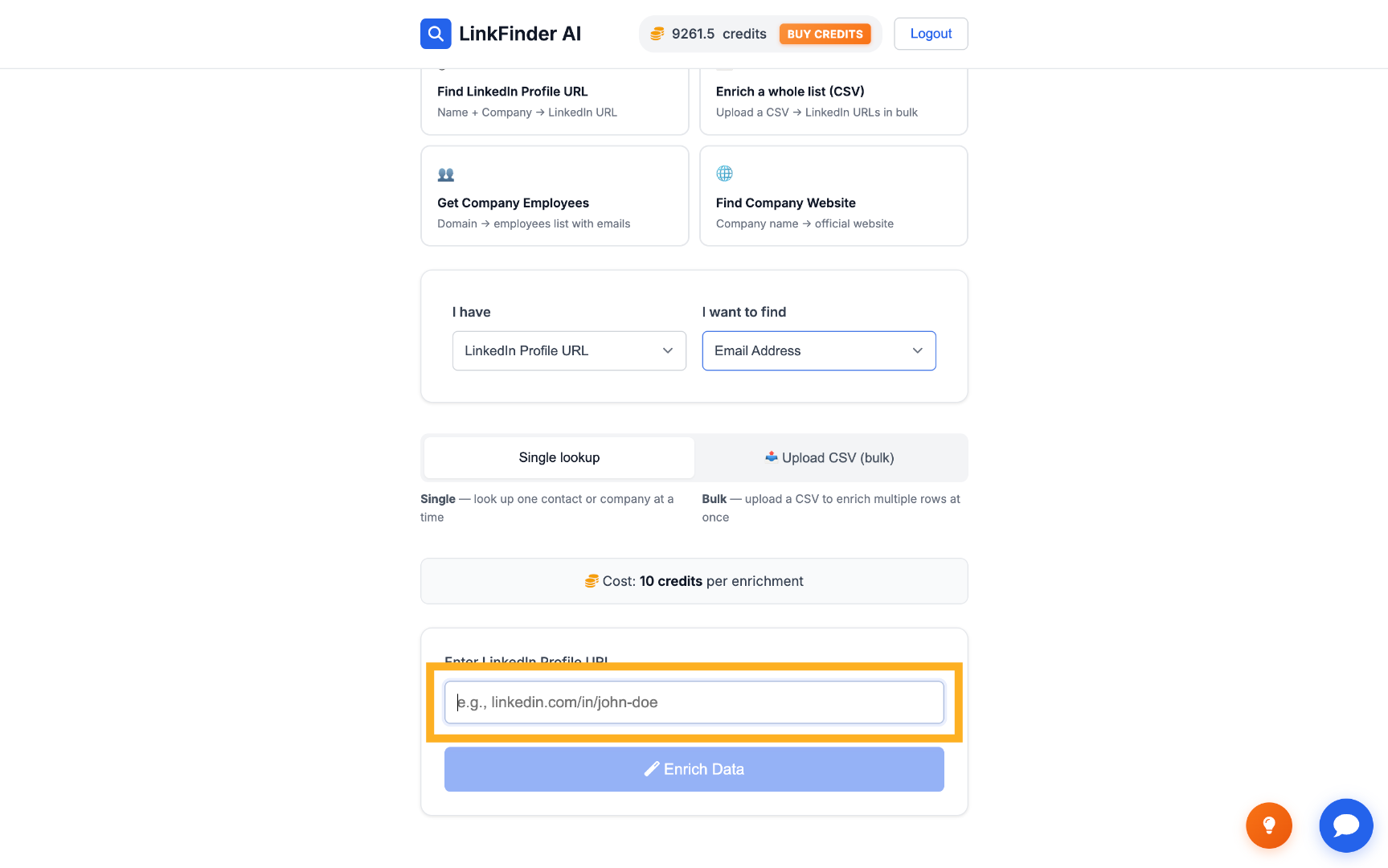
Enter LinkedIn Profile URL Fill LinkedIn Profile URL
4

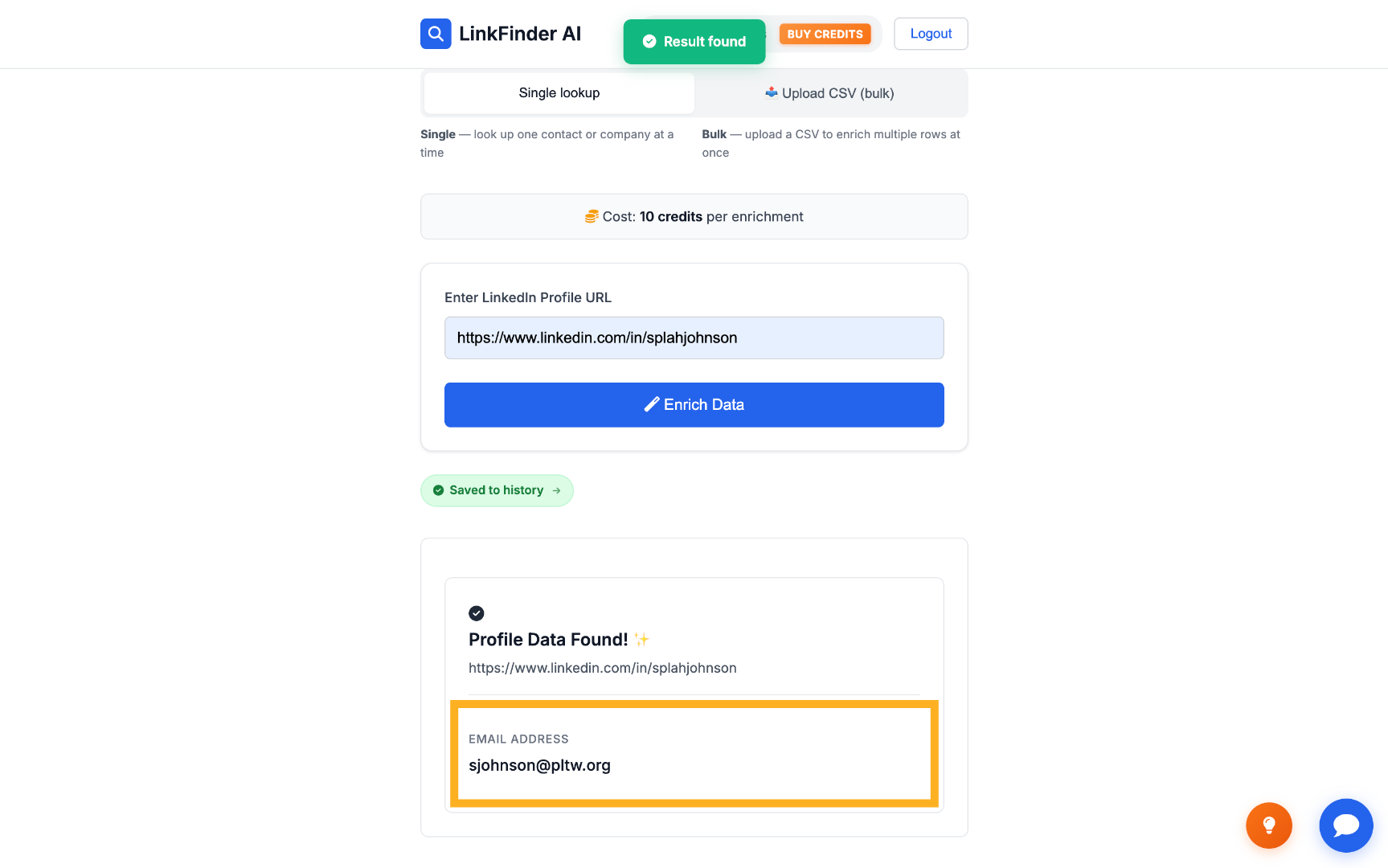
Click Enrich Data

LinkFinder AI returns the verified email address tied to that profile.
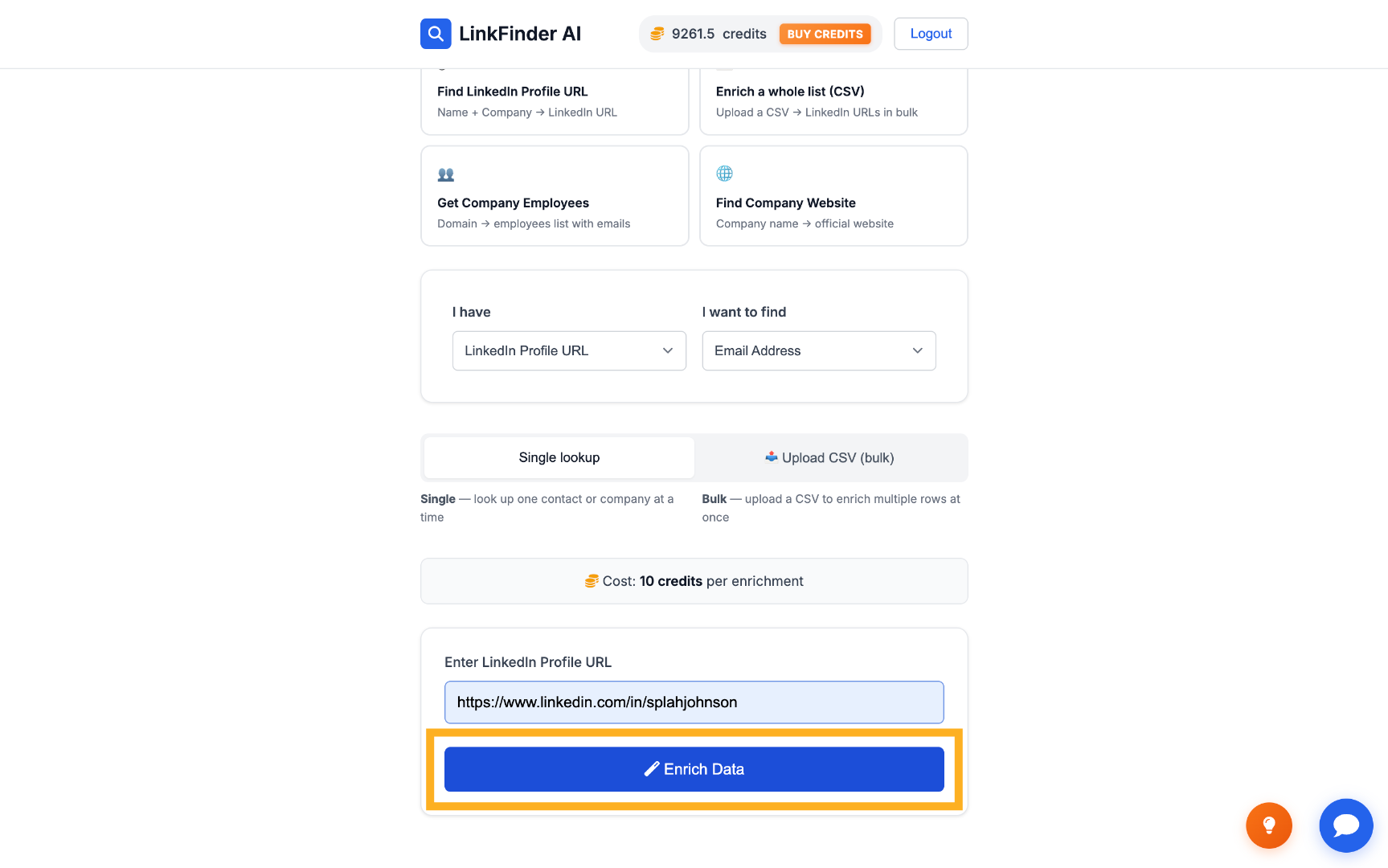
Enrich Data Request View Retrieved Email Address
2

Find emails in bulk from a list of LinkedIn URLs

When you're working through a whole list of leads instead of one.

1

Switch to Upload CSV (bulk)

Choose the bulk upload option instead of the single-URL form.
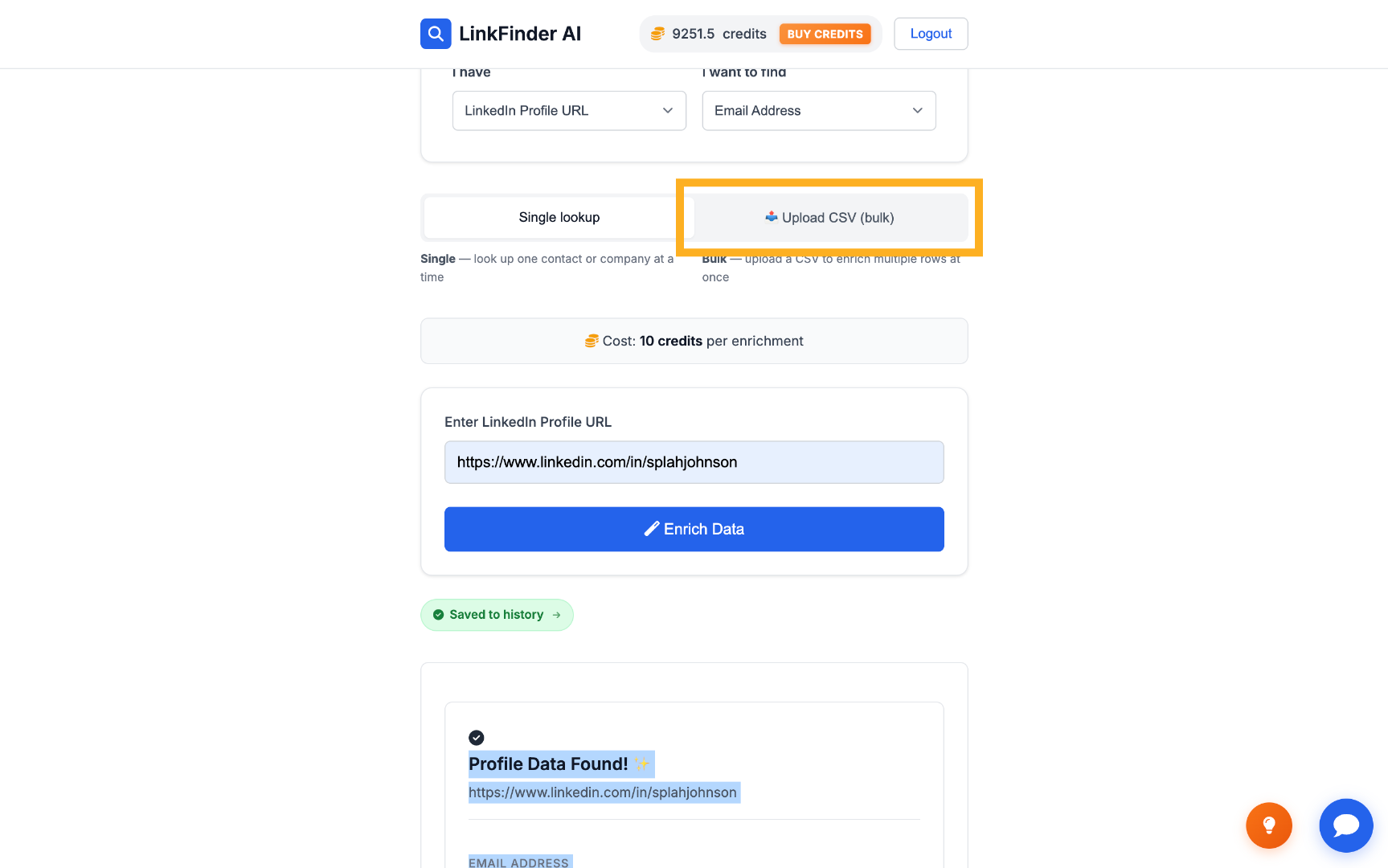
Access Bulk Upload Feature
2

Select your CSV of LinkedIn URLs

Upload a CSV file where each row is a lead's LinkedIn profile URL.
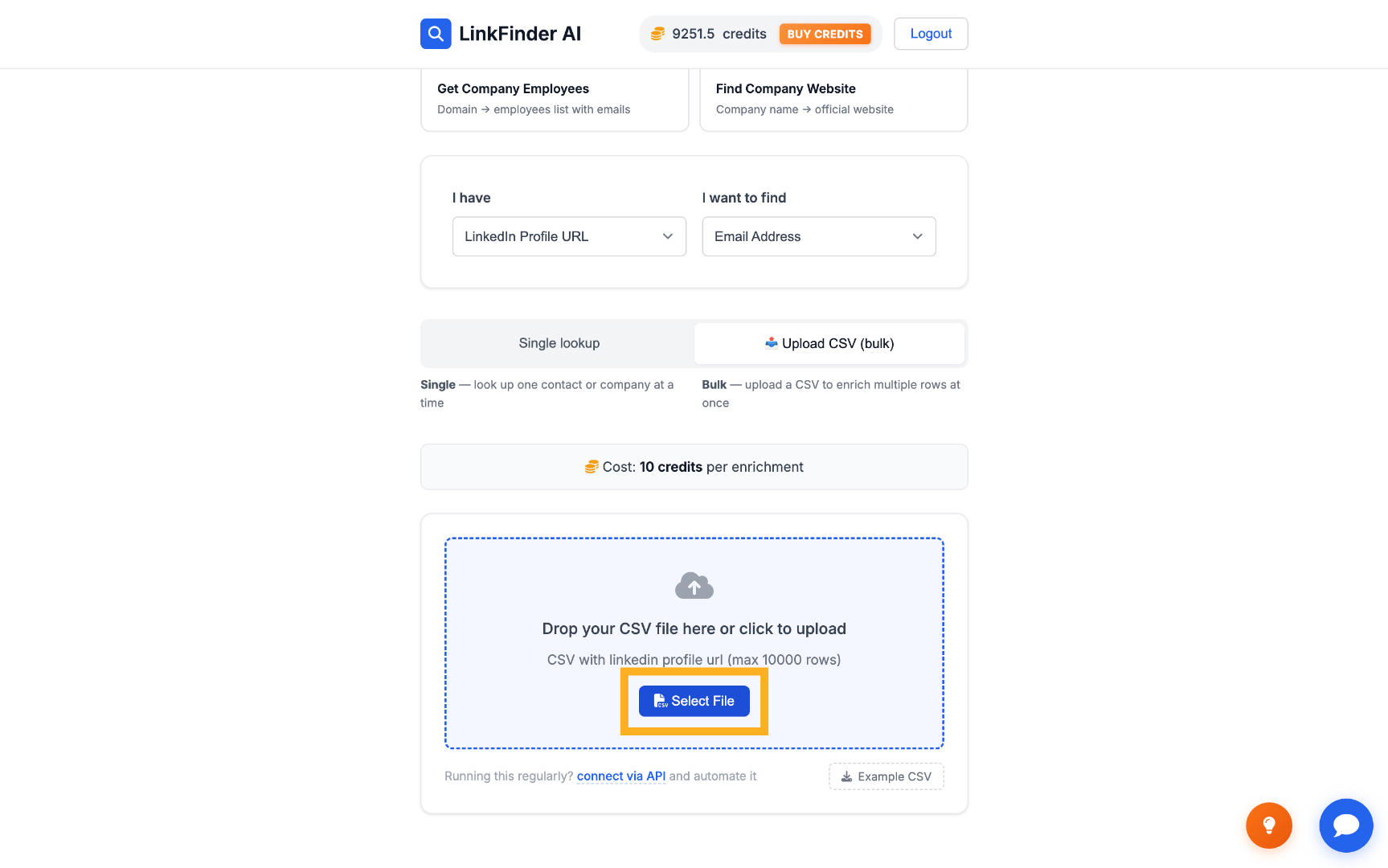
Select CSV File
3

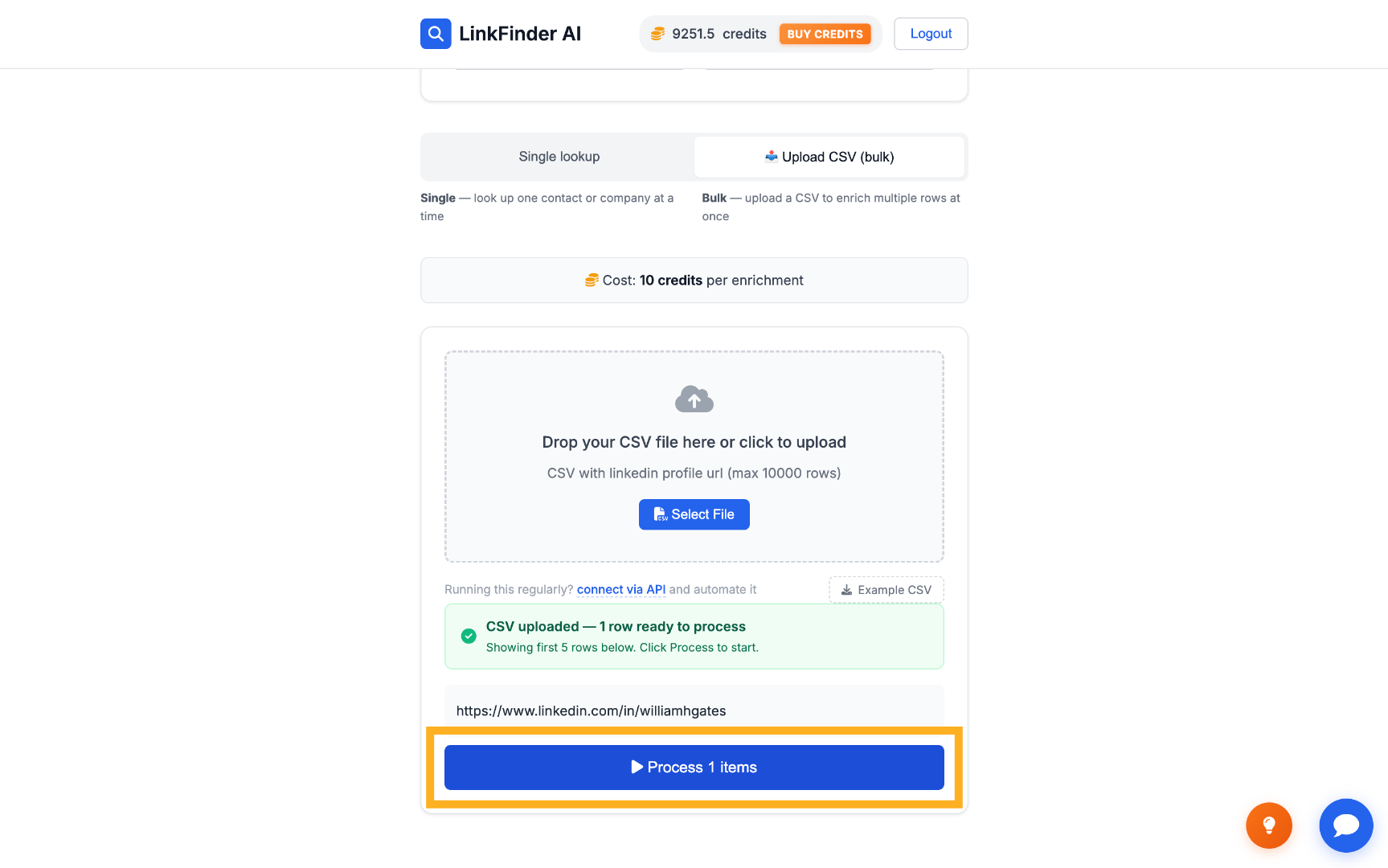
Process the list

Click Process items to enrich every URL in the file with its matching email address.
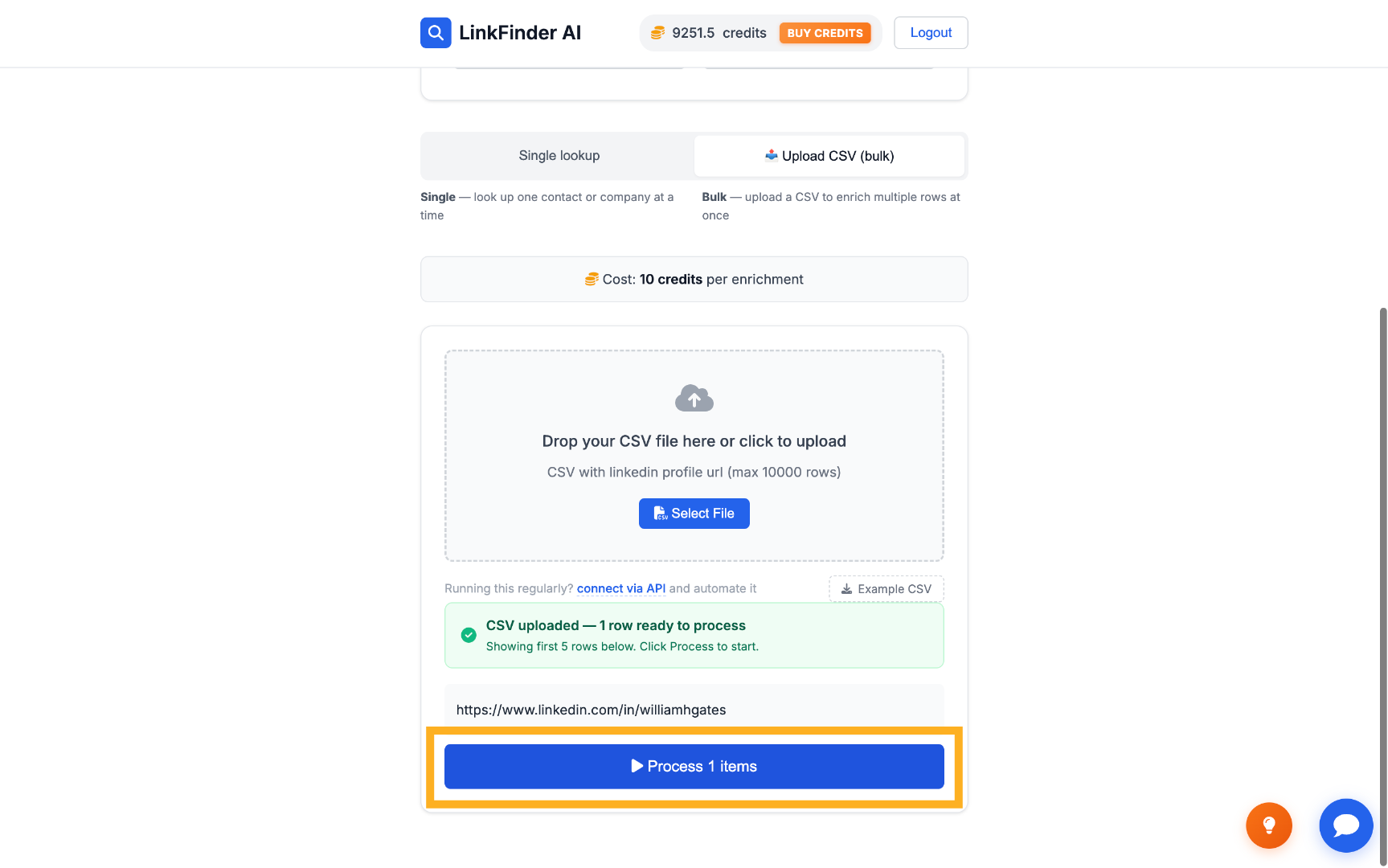
Process Uploaded Items Confirm Processing of Items
4

Export the results

Download the enriched list — each lead now paired with a verified email — as a CSV.
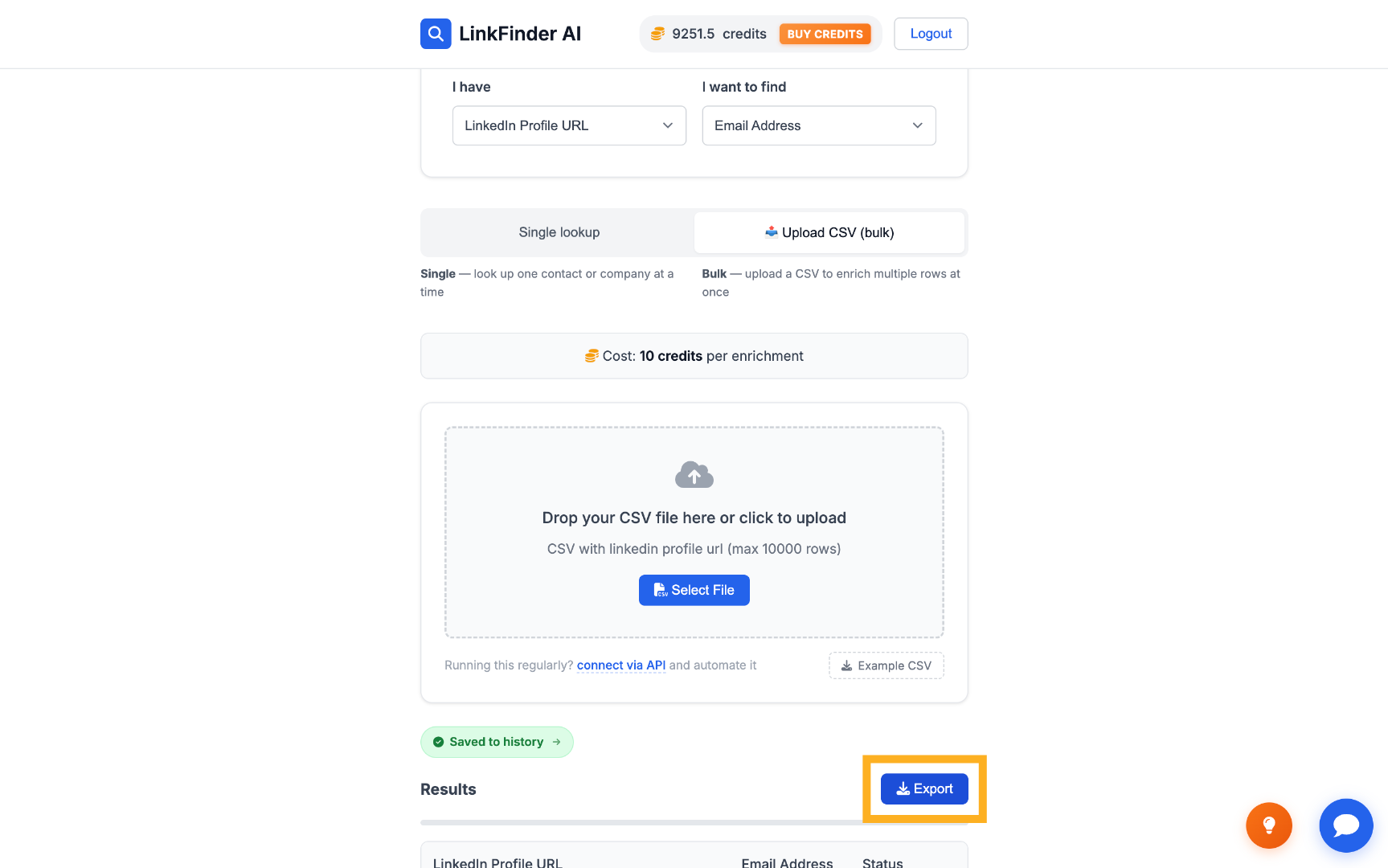
Export Enriched Data
3

Find emails programmatically via API

For wiring the LinkedIn-to-email lookup directly into your own CRM or scripts.

1

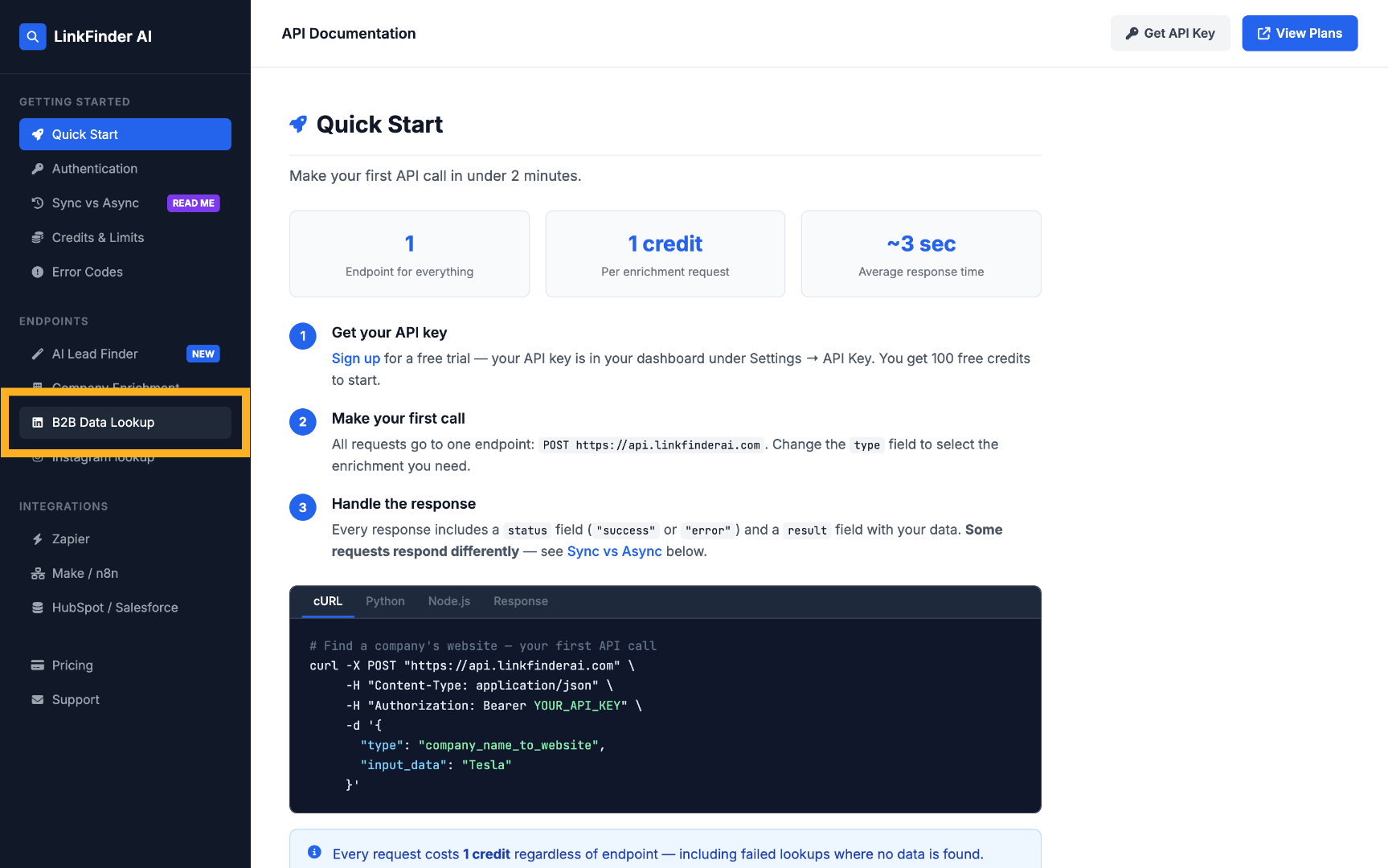
Open the API documentation

Go to API Access, then View API Docs, and open the B2B Data Lookup section.
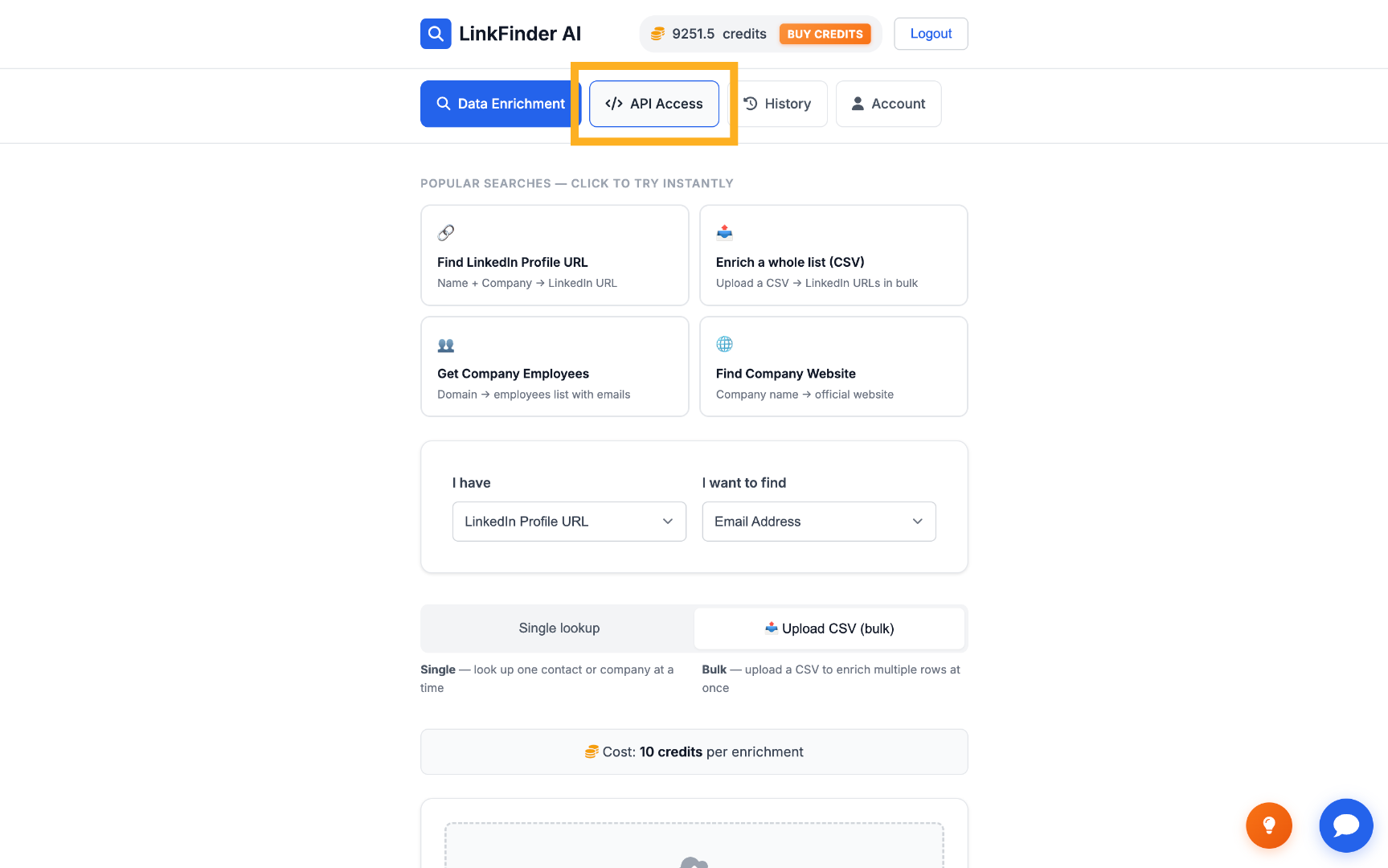
Open API Access Section Access B2B Data Lookup API
2

Call linkedin_profile_to_email

POST a request with type set to linkedin_profile_to_email and input_data set to the LinkedIn URL.
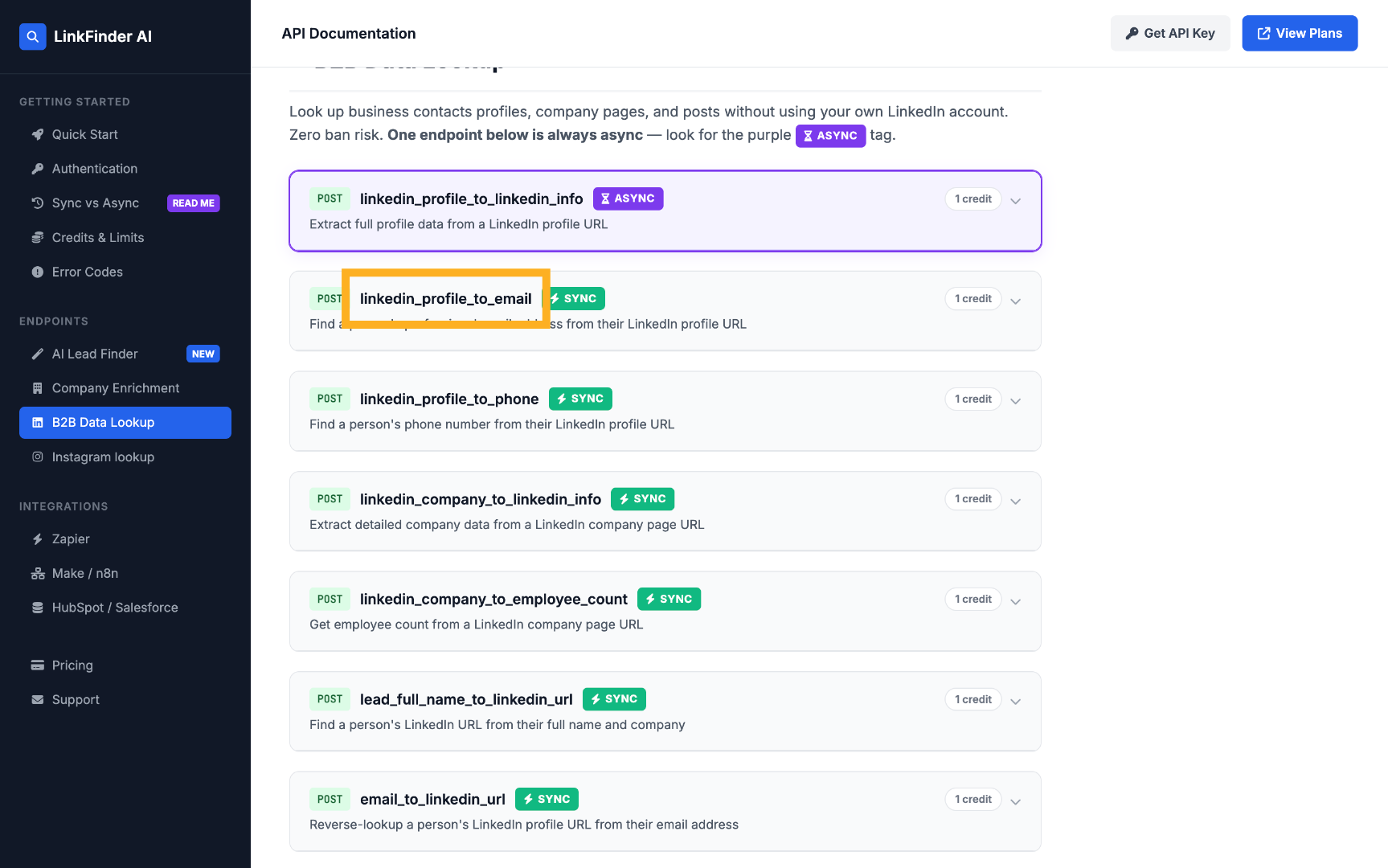
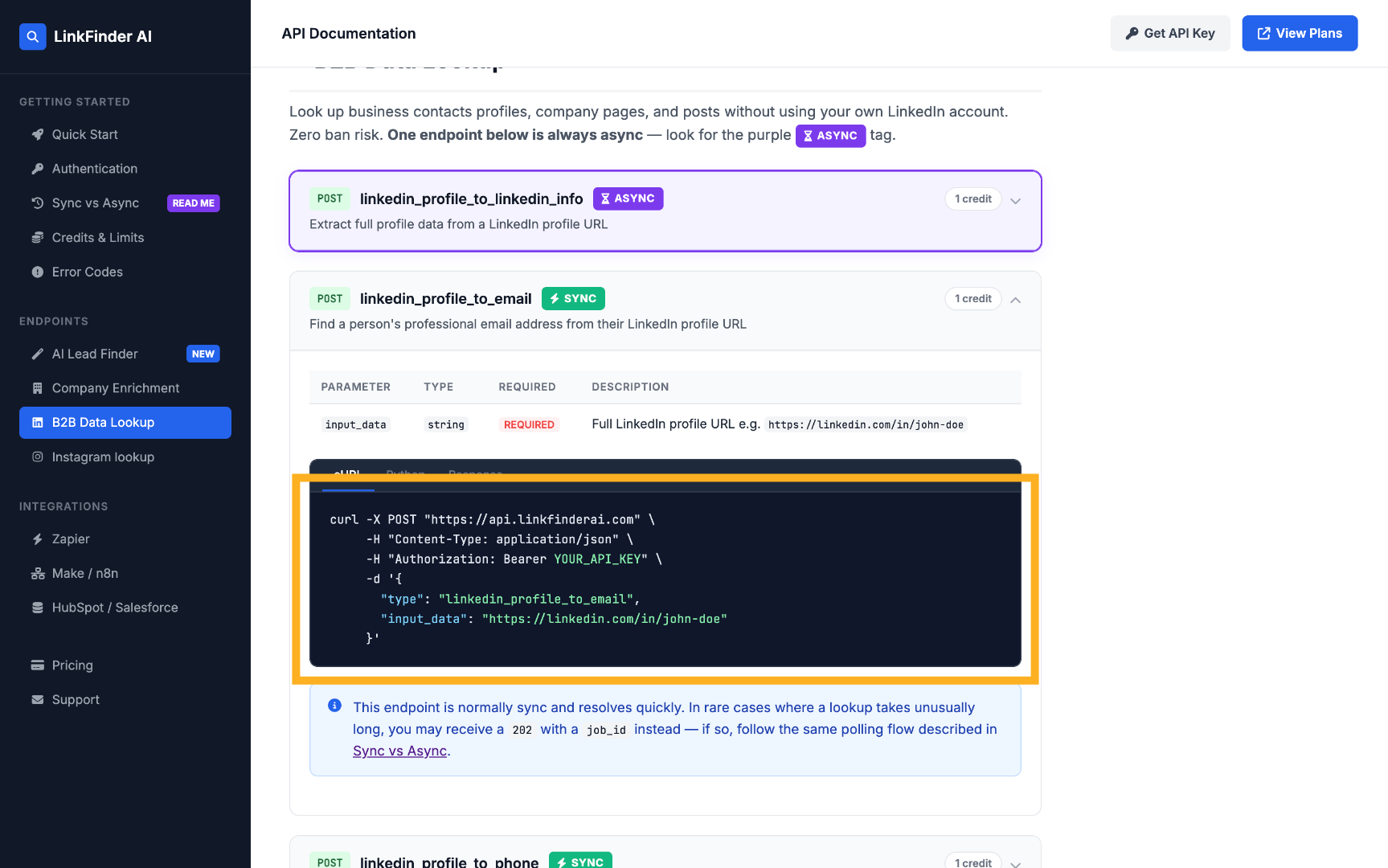
Select LinkedIn to Email API Review API Call Example
See the API documentation for the full request and response format.

Tips for higher match rates

Use the canonical profile URL

A full linkedin.com/in/username URL matches more reliably than a shortened or region-redirected link.

Deduplicate before a bulk run

Running the same LinkedIn URL twice in a CSV wastes a lookup — clean your list first.

Verified beats guessed

A guessed email pattern that bounces damages your sender reputation; LinkFinder AI verifies before returning a result.

Re-check stale leads periodically

People change jobs and email addresses — re-running an older list every few months keeps outreach data current.

Frequently Asked Questions

Yes — the LinkedIn Profile URL input with Email Address as the output is exactly this lookup.
No. You just paste in the public profile URL — LinkFinder AI doesn't require or use a LinkedIn login.
Yes, results are checked against the company's real email pattern rather than returned as an unverified guess.
Yes. Upload a CSV of LinkedIn profile URLs and LinkFinder AI processes the whole list at once.
Yes. The linkedin_profile_to_email endpoint accepts a LinkedIn URL and returns the verified email in a single request.
You can create a free account and run your first searches at no cost. Paid plans add higher volume, bulk processing, and full API access.

Find your first LinkedIn email free

Paste in a LinkedIn URL, upload a CSV for bulk lookups, or call the API directly — start on the free plan, no credit card required.

Get started free

No credit card required · Free plan available · API on every plan

Explore more in LinkedIn Data, Scraping & APIs

See the full topic → LinkedIn Data, Scraping & APIs hub